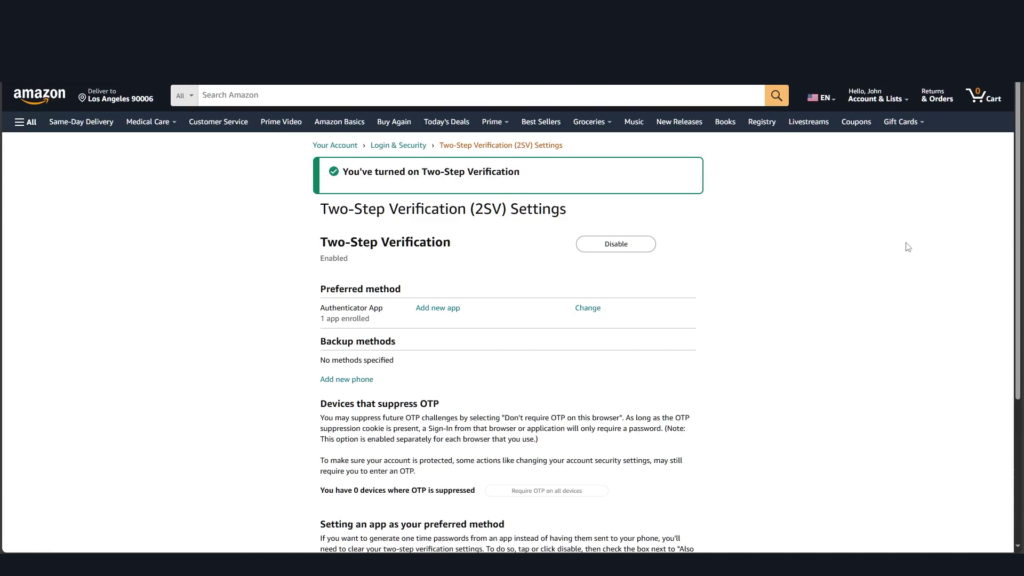
Online shopping has been a trend and it is wise to have your Amazon account secured to avoid hacks and unwanted orders. In this guide, we’ll show you how to enable two-factor authentication on your Amazon account to add an extra layer of security.
- Download the Authenticator App from the App Store.

- Open Amazon’s website and login to your account.
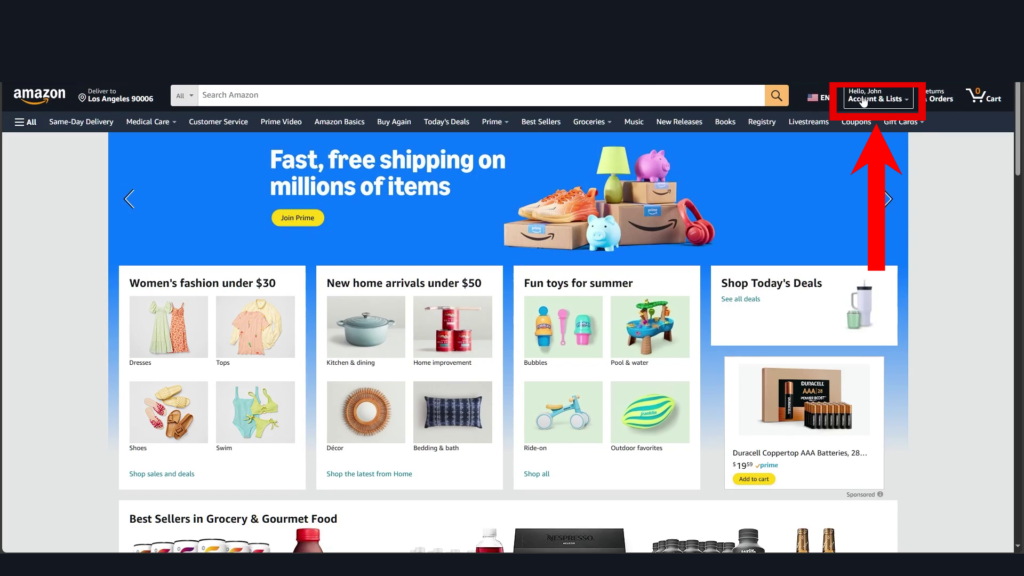
- Next, click on Account & Lists.
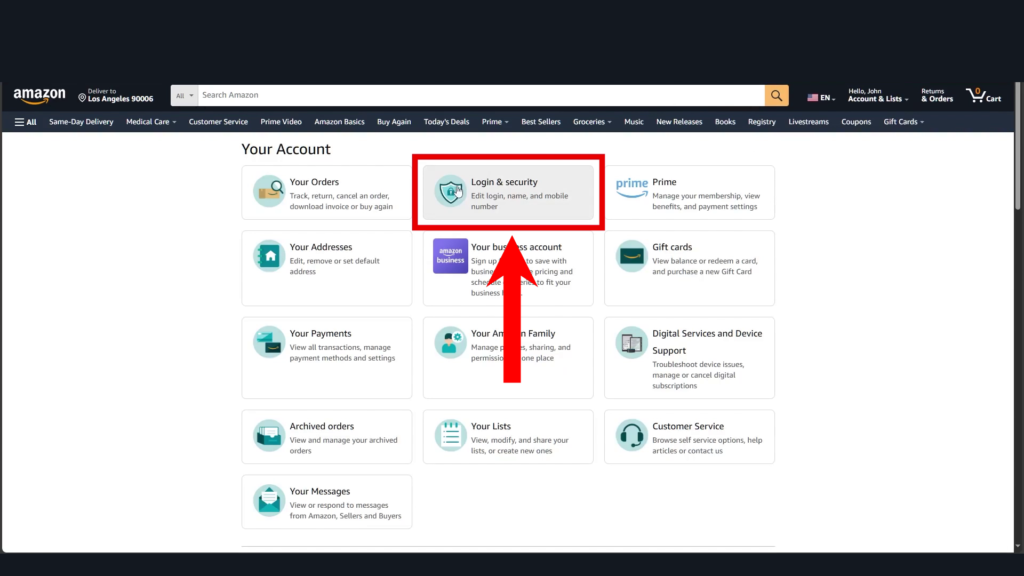
- Go to Login & Security.
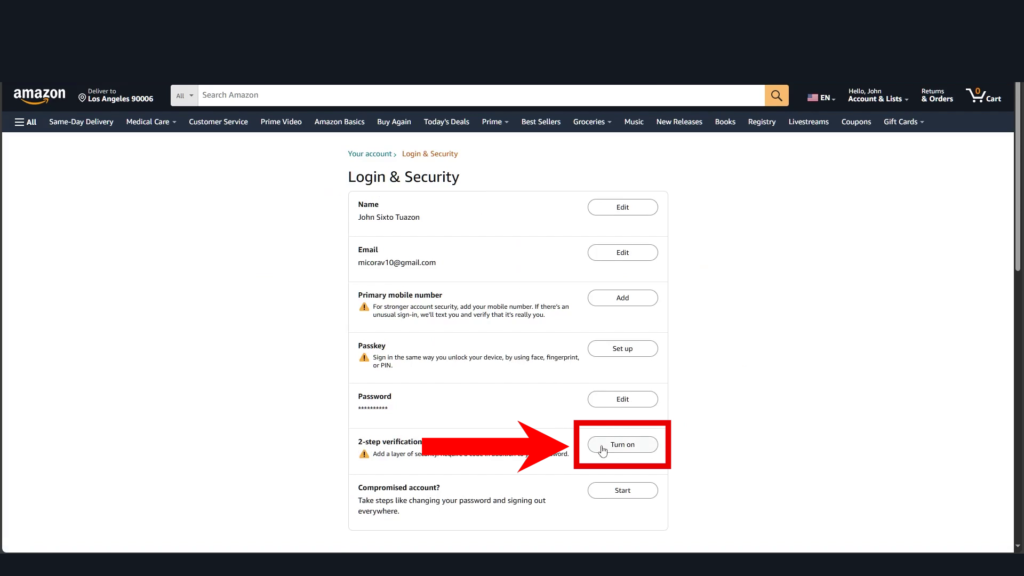
- Click on Turn On next to 2-Step Verification.
- Select the Authenticator App option.
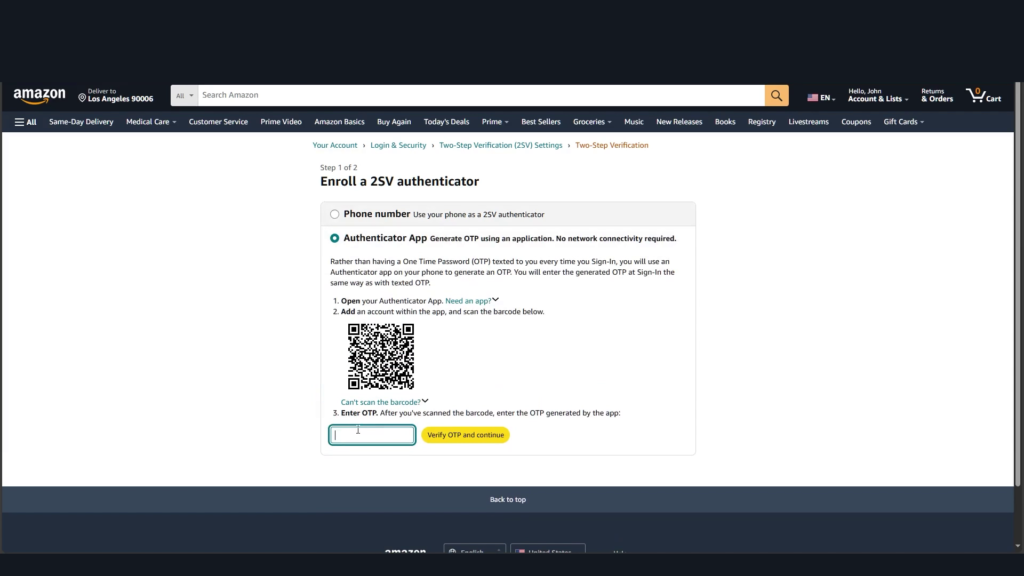
- Open the Authenticator App.
- Scan the barcode shown in Amazon.

- Copy or remember the 2FA code in the Authenticator App.
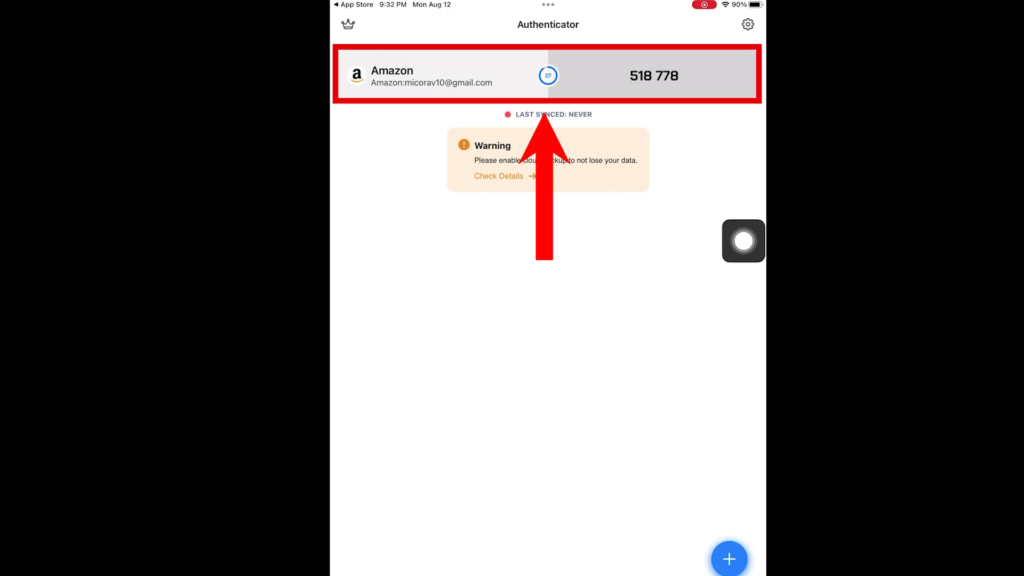
- Go back to Amazon’s website.
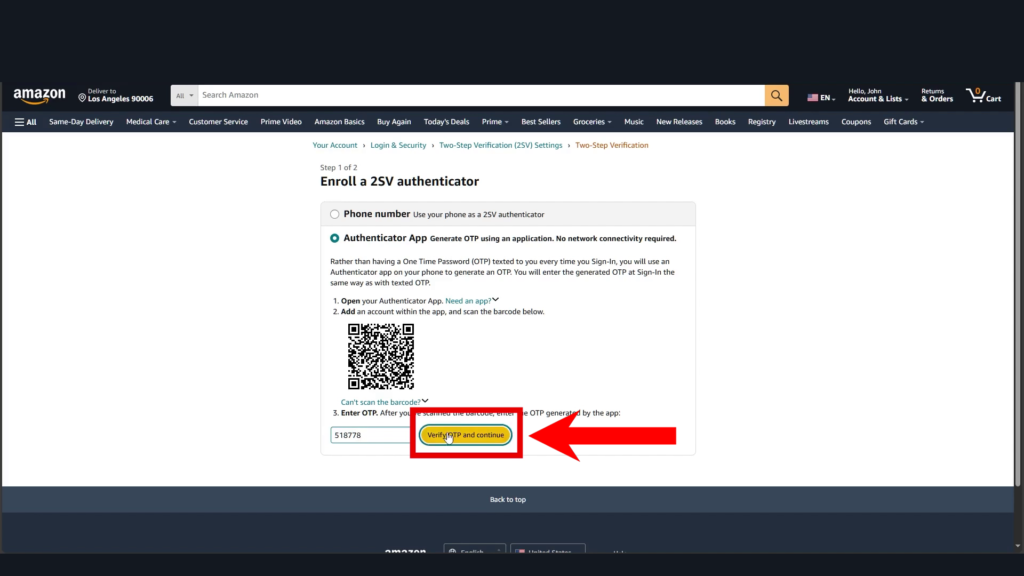
- Enter the 2FA code from the Authenticator App, then click Verify OTP and Continue.
- On the next page, scroll down and click Got It Turn On Two-Step Verification.
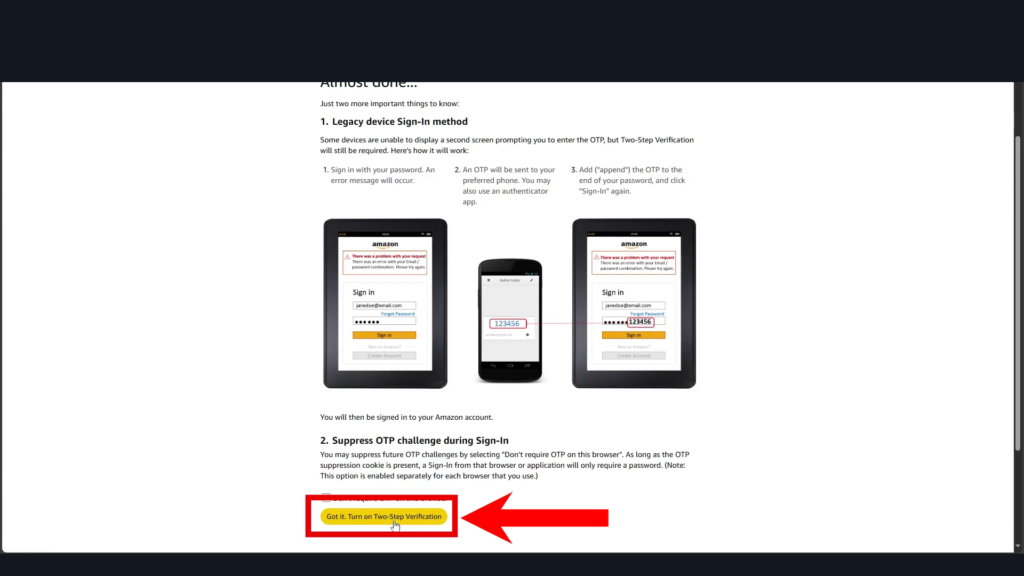
- Two-factor authentication is now enabled on your Amazon account.